Avoiding Auto Warranty Robocall Scams

Woman on call phone standing in front of two crashed cars

Almost everyone has received an automated call where “someone” is trying to reach you about your car’s extended warranty. Auto warranty robocalls have become so popular they’ve even spawned a variety of memes. While you may realize these calls are a scam and may have to intention of falling for it, you may not realize exactly how to deal with these calls. Avoiding auto warranty robocall scams is easy if you know what to do.

Auto Warranty Robocall Scams

First, let’s go through a rundown of what one of these calls might sound like. A “person”, usually with a generic name, saying they’re with the “Service Department” and tells you that your car warranty is set to expire. They say they’ve tried to reach you in various ways and if you don’t respond they will close your file. Many of these calls will ask you to press a button if you wish to renew your warranty or press a different button if you wish to remove yourself from the list. 

These calls may sound like they’re coming from your auto dealer or manufacturer, but they almost always are not. These types of robocalls are illegal. If you were to “extend your warranty”, you would actually be purchasing a service contract. In most of these scams, the fine print says that the contract actually won’t cover any issues you may have with your car. This isn’t to say that all service contracts are bad, but you should never purchase one through an unsolicited call.

How To Deal With Auto Warranty Robocall Scams

  1. Hang up immediately. Never press any buttons or engage with these calls. The longer you stay on the line, the higher your chances of becoming a victim.
  2. Report the call to the National Do Not Call Registry.  You can report the call at DoNotCall.gov.

As you can see, avoiding auto warranty robocall scams is very simple: hang up. You should always be on guard when answering any unsolicited call from unknown numbers. Scams are on the rise, so be careful. 

Stay Safe On Public WiFi

Man holding cellphone with logos of internet activities.

Our phones (and computers) have become an integral part of our lives. Whether we need information, to pay a bill or to keep in touch with loved ones, we use our devices and the internet. We are almost conditioned to look for a WiFi network whenever we’re out and about. WiFi can be very helpful as it can save your data, but it can also be a major pitfall. Criminals can use these networks to steal your information. Stay safe on public WiFi networks using the tips below. 

The Risks Of Public WiFi

If you’re out and about and you pull up your phone to search for a WiFi network, chances are you will see a few options. No matter where you are, you can almost always find a WiFi connection. Convenient, yes. More chances to become a victim of identity theft, also yes. 

Public WiFi can be dangerous specifically because it is public. Everyone who is connected to a WiFi network is sending their information through the same, shared space. As a user, you would never know this and it would never be an issue. However, there are many ways that criminals can intercept information from point A to point B. This is completely different from your home WiFi which should be password protected. Here are a few specific examples of how you could become a victim.

  • MITM Attacks – Man-in-the-middle or MITM attacks are the most common way for thieves to steal your information over WiFi. The way it works is that a hacker will insert their device between point A (you) and point B (where you are sending information). In the short time your information is traveling from point A to point B, the hacker can log and capture your information. 
  • Snooping/Sniffing – A packet sniffer is a kit that criminals can use to take data packets which contain sensitive information. Packet sniffers aren’t always used in nefarious ways, but they are one way for hackers to steal your information. 
  • Rogue networks – You should never connect to a WiFi network that comes from an unknown source. Criminals can set up public WiFi networks with the intent of stealing your information. You will be able to access the internet, but you’ll also have your data captured. Oftentimes, these rogue networks will have a name very similar to a nearby, trusted network. 

Protecting Yourself On Public WiFi

If you want to stay safe on public WiFi, you have to follow a few key steps. The most effective way to safely use public WiFi is to use a VPN (virtual private network) which creates a pipeline within a public WiFi network which is secure. If you’re not using a VPN, take heed of the following information.

  • Never send important information while connected to public WiFi. Would you stand up in the middle of a Starbucks and shout out your credit card or Social Security number? Absolutely not. Don’t send important e-mails, log in to important websites or make purchases using a credit card while using a public network. If you do, this information could be stolen. 
  • Turn off WiFi unless you’re actually using it. The less time you’re connected to the network, the less opportunity hackers have to collect information. 
  • Turn off the automatic connection feature on your phone. Also, turn off the “remember this network” feature. This will allow you to connect to WiFi only when you desire. 
  • Always keep your apps and devices up to date. When an update is released for your phone or an app, it is often specifically for security purposes. Failure to update to the latest version can put you at serious risk. 
  • Don’t connect to a network if you’re unsure of its origin. If you’re at a restaurant and you’re unsure which network is their official network, ask an employee. 
  • Never install software over public WiFi.

WiFi can be a convenient tool if used properly. Follow the basic safety rules in order to stay safe on public WiFi. 

What Is Ransomware?

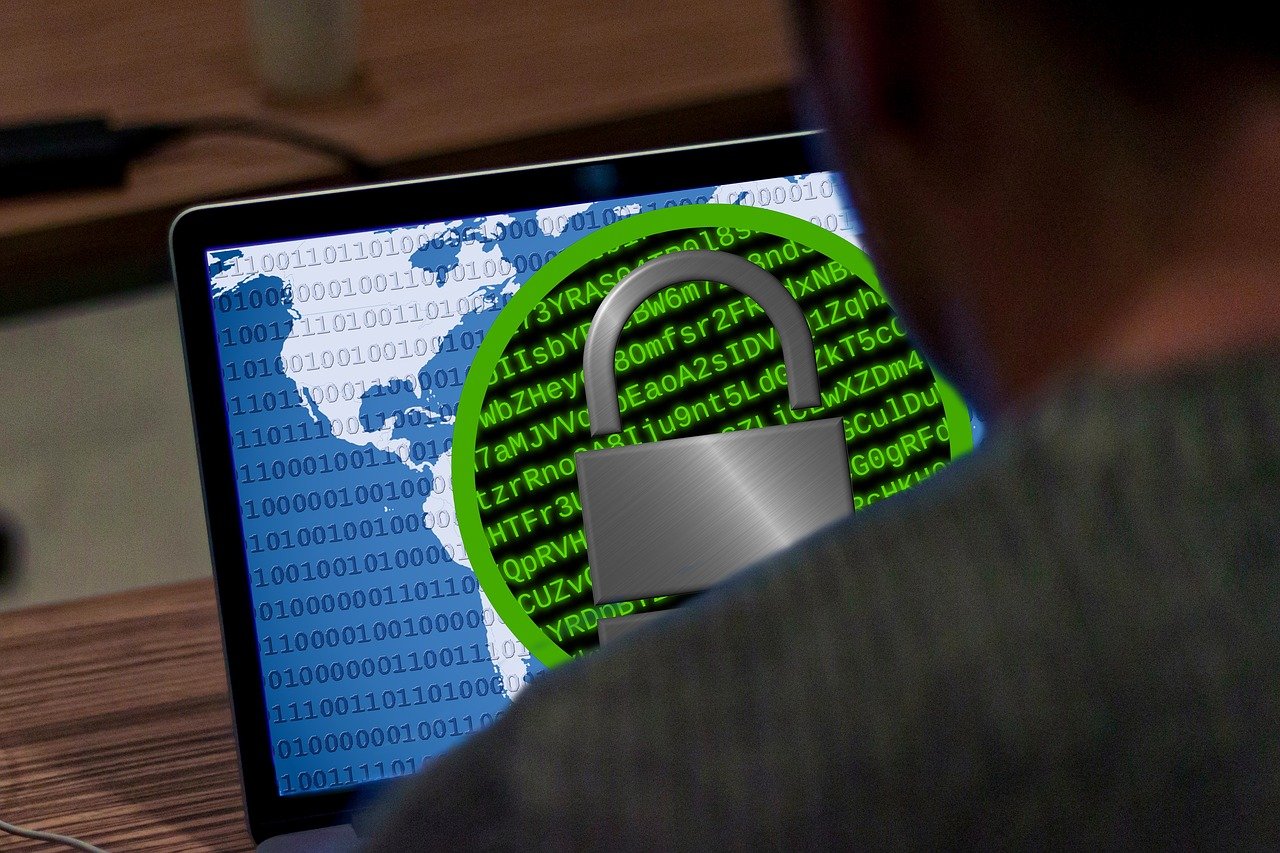
Man sitting at laptop which shows a map and a lock.

Most of us are conscious of the fact that viruses, or malware (malicious software), can corrupt our computers and devices. Malware is constantly changing and adapting to become more difficult to detect. Scammers are finding new ways to infiltrate your system and take advantage. One of the newer and more dangerous forms of malware is ransomware. You might be asking, what is ransomware? 

What Is Ransomware?

Ransomware is a form of malware that is used to encrypt your most important files so that you cannot access them. In order to remove the encryption, thieves will require that you pay a ‘ransom’. These ransom payments are often required to be paid using Bitcoin or other anonymous cryptocurrency. In 2019, ransomware cost Americans approximately $7.5 billion in losses. During the pandemic, ransomware has increased by a whopping 715%. Ransomware is generally targeted at businesses, but individuals are also at risk. 

In short, ransomware is popular because it is successful. Thieves will encrypt your most important files which leaves you with no way to access them. This leaves you two options: pay the ransom or lose access to the files for good. Many businesses or individuals will simply pay the ransom in order to get the ordeal over with. Thieves are able to coerce you into giving them money instead of having to actually steal it. 

How Does It Work?

  1. Infiltrate.  Ransomware attacks generally start with a phishing email that will contain a file which seems to be trustworthy. Oftentimes, the email will look very convincing as if it is from a trusted source. Once the file is opened, the malware will gain access to your system. Another avenue of infiltration is “malvertising.” an advertisement which contains the ransomware.
  2. Encrypt. Once the malware is downloaded, hackers will have access to all of the files in your computer/device/system. Hackers will then choose to encrypt the files that they deem to be the most important which will restrict access to those with a specific decryption key. 
  3. Extort. Once your files have been encrypted, thieves will demand payment of a ransom in exchange for a decryption key. This key will allow you to regain access to your files. Often, ransomware will come with a “countdown” which only gives the infected a few days to pay the ransom. This is another tactic which pushes the infected party toward paying the ransom. 
  4. Remove. After paying the ransom, you will receive the decryption key, thus regaining access to your files. However, the ransomware isn’t actually removed from your device until someone manually removes it. 

Ransomware is scary because all it takes is one wrong click and you could be in a world of hurt. What is ransomware? Hopefully, one answer to that question is: “Something you never have to experience.”

Identity Theft Awareness Week 2021

Identity Theft Awareness Week February 1-5 2021

February 1st through 5th is Identity Theft Awareness Week 2021, brought to you by the Federal Trade Commission (FTC). We hope to use this opportunity to help you up your security game! 

Identity Theft grows to be a greater concern each and every year. The more we intertwine our everyday lives with technology, the more opportunity thieves have to access your information. In 2020 (and continuing into 2021), we all faced many unique challenges. COVID-19 upended all of our lives and many of us faced hardships. Identity thieves didn’t take it easy on Americans just because of a pandemic. Instead, they used it to add new scams and schemes to their arsenal. Some of the newest scams included Coronavirus stimulus scams, employment scams and COVID-19 vaccine scams. Now, more than ever, we all need to tighten up on our security in order to protect ourselves and our families.

Suggested Articles For Identity Theft Awareness Week 2021:

Your security is important. Your information holds the key to much of what you hold dear. For someone to obtain your information illegally, it could mean financial and mental hardship. You need someone who has your back in case you become a victim of identity theft. Subscribing to an identity theft restoration service, such as ReclaimMyID, will provide you with someone to put in the time and effort to get your identity restored to 100% of its pre-theft status. Having an identity theft restoration service on your side can save you hundreds of hours and thousands of dollars.

We hope that you use Identity Theft Awareness Week 2021 as the impetus to safeguard your information and stay up to date with the latest scams and schemes.

COVID-19 Vaccine Scams

Many COVID-19 Vaccine Vials

As the new Coronavirus vaccines begin to roll out, many Americans are chomping at the bit to get in line. Fear of contracting the virus can cloud judgement, and scammers are taking advantage of this vulnerability. As you wait for your opportunity to get vaccinated, please be aware of COVID-19 vaccine scams that are making the rounds. We will tell you what to look for so that you don’t become a victim.

How To Spot COVID-19 Vaccine Scams

While we wait our turn to receive the Coronavirus vaccine, we have to keep our eyes open to possible scams. Here are a few guidelines to follow in order to avoid becoming a victim of identity theft.

  • Anyone claiming to offer early access to the vaccine is a scam. If you receive a text, call, email or even a solicitor at your door who claims to have this power, disregard it. No one has the ability to offer early access. 
  • You can’t pay to get your name on “the list”. Everyone has to follow the same rules, so if someone asks you to pay to get on a list, it’s a scam. 
  • You shouldn’t have to pay for the vaccine. Insurance should cover the vaccine due to the pandemic being a public health emergency. 
  • No one involved in the vaccination process, such as a private insurance company, will call and ask for personal information. If you receive a call or email asking you to provide your Social Security number or any other sensitive, personal information, this is an extreme red flag. Never provide personal information to unsolicited parties. 

In order to receive the vaccine as quickly as possible, stay informed on the procedures and guidelines in your area. All of the information needed will be provided by your state and local government. Sources outside of the government who try to deviate from official plans are very likely COVID-19 vaccine scams. Please stay safe and report any scamming attempts to the Federal Trade Commission.

Replacing A Lost Or Stolen Social Security Card

Man holding an empty brown wallet

If you’ve ever misplaced or had your wallet stolen, you know what a pain it can be to replace all of the items. One of the most important documents that many people carry in their wallet, a Social Security card, will take some time to replace if misplaced. You should never carry your Social Security card with you (unless you know you will need it that day). However, if your wallet does become compromised with your card inside, here are the steps you should take in replacing a lost or stolen Social Security card.

Time Is Of The Essence

The faster you act when learning that your Social Security card has been stolen, the less time a thief will have to cause you harm. You should immediately call your local police department and file a police report. In addition, you need to call the Social Security Administration (SSA) to request a replacement SS card. The SSA can be reached at 1-800-772-1213.

Another important step is to visit ssa.gov and ensure that you have claimed your ‘My SSA’ profile. This account will allow you to request a replacement card along with many other benefits such as changing your address. 

Applying For A Replacement Social Security Card

If you meet certain requirements, you may be able to obtain a replacement SS card online through the SSA website. You can view the requirements here. If you don’t meet the requirements, you will need to provide certain documentation along with completing an application. Here are the steps you need to take in order to be prepared for applying for a replacement card:

  • You will need to verify your age, identity and citizenship. The full details on the documents you will need can be found at the Social Security Administration website.
  • Print and fill out an application for a Social Security card.
  • Take your completed application along with the necessary documents to the SSA. All documents must be originals. You can find your nearest SSA office using their office locator tool. Beware that not all Social Security Administration offices are Card Centers, so not all offices will be able to replace your card. Call to ensure that the office you plan to visit is a Card Center.

If you lose your card, don’t panic. The SSA provides three card replacements per year, free of charge. You are entitled to ten free card replacements over your lifetime. 

Replacing your card doesn’t clear you of possible identity theft though, so you may want to consider putting a credit freeze or alert on your credit reports. You should also consider signing up with an Identity Theft Restoration service, such as ReclaimMyID. If your identity is stolen, ReclaimMyID will restore your identity to 100% of what it was pre-theft. You will save time and money as well as having the peace of mind that someone has your back. 

Replacing a lost or stolen Social Security card can be a bit of a process, but hopefully you now know what to expect. Once you receive your new card, store it at home in a secure place instead of carrying it with you!

Beware Of Holiday Charity Scams

Woman holding small Christmas gift with both hands

During the holidays, many of us find ourselves in the spirit of giving. Along with spoiling our friends and family with gifts, we often enjoy donating to charity at the end of the year. When it comes to helping charity, the more the merrier! However, there are many scammers who imitate legitimate charities and would love to take your money instead. You must beware of holiday charity scams when you go to submit your much needed donations.

How To Protect Against Charity Scams

In order to avoid becoming a victim of a charity scam, there are a few rules you should follow.

  • Always do your research on a charity before giving any money. A website such as Charity Navigator will allow you to vet a charity before giving. This website also allows you to donate to the charity directly so that you know your money is going to the right place. If you have a charity you already love donating to, make sure you are visiting their official website. You should never donate through an email or text from an unrecognized or unvetted source.
  • Legitimate charities will gladly take your donation at any time. Any charity that rushes you to give money should throw up an immediate red flag. It’s true that many charities could benefit from having more money around the holidays. However, a legitimate charity may encourage you to donate, but never in a pushy way.
  • Another red flag is when a “charity” asks you to pay with cash, gift cards, wire transfer or any form of cryptocurrency such as Bitcoin. This is how scammers accept payment because it isn’t as easy to track.

When you’re in the mood to donate some of your hard-earned money to a worthy charity, beware of holiday charity scams. As long as you’re careful, your generosity will surely go a long way this holiday season.

Safely Learning From Home

teacher virtually teaching children through laptop

Coronavirus has brought a variety of changes to our everyday lives. Masks, social distancing, working from home. Many children have had their routines upended as well, having to go to school online. Every state and county adhere to different policies, but most kids have experienced remote learning at some point over the last 8 months. With this new norm comes new technology and new dangers that you may not be familiar with. Safely learning from home will be accomplished by understanding where possible dangers might lie and how to combat them.

What Is Remote Learning?

Also called distance learning, remote learning is the act of learning in an arena which isn’t face-to-face. Most distance learning takes place at home, over the internet. With the need to quarantine and social distance due to Coronavirus, distance learning became a way for kids to still go to school. 

If your child is enrolled in remote learning, their school should provide you with guidelines for both students and parents to follow. Every school is different, so you should take the time to read over all policies and guidelines.

How Do I Protect My Child?

The first step to keeping your child safe is to know what to look for and what not to do. 

  • Never sign up for any website or app with a personal e-mail address. Your child should be provided with an e-mail address from the school or county.
  • Always use a unique, strong password for every login that is required of your child. Never share login information with anyone. 
  • You should never add any unnecessary personal information to the profile section of any website, system or app.
  • Ensure that your child knows not to interact with anyone online that they don’t know. This includes not accepting unsolicited messages, phone calls, texts, files or screen sharing from people they don’t know personally. Your children should never download any files from unknown sources.
  • If your child is required to use a specific VLE (Virtual Learning Environment), take time to go through the system with them. This will allow you both to become familiar with how things work. You can also take this time to let them know what not to do. This goes for any app or system that your child is required to use. 
  • Always keep your computer’s operating system and anti-virus software up-to-date. Updates will often have patches to combat the latest security threats. Without these updates you may be susceptible to new dangers.

Distance or remote learning looks like it will become more and more common in the future. If you use the information above to your advantage, your child will be safely learning from home with no issues. 

Your Personal Information Has Been Exposed

Padlock sitting on a laptop

Whether you realize it or not, information is floating around us constantly. It could be news or it could be the credit card number of a person in the coffee shop with you. Every time we log in to a website, or sign up for a newsletter, we are sending information. Information can fall into the wrong hands. You may accidentally provide it to a scammer, someone might steal it or someone might buy it from the dark web. If you use the internet as much as most Americans, chances are your personal information has been exposed.

You may have heard the term “data breach” or “data leak” on the news. You may have even heard about a significant one, such as the Capital One, Equifax or Marriott breaches. Unfortunately, these information leaks or hacks are becoming all too common. All of us have a credit file with Equifax and most of us have stayed at a Marriott property (they own much more than just the Marriott brand). So, there’s a very good chance that our information was leaked in one of these breaches. Maybe you got lucky and you weren’t a victim of these two leaks, but what about all of the others and the others to come? Eventually it will happen (if it hasn’t already) and most everyone will become a victim of identity theft. 

Monitoring and Recovery When Your Personal Information Has Been Exposed

Due to the likeliness that your personal information has been exposed, you need to be proactive in searching for possible fraudulent activity. Here are some tips on what to look for and what to do if you find something.

  • Monitor your financial accounts. In order to quickly spot identity theft, you need to monitor your financial accounts regularly (daily if possible). Your checking account, savings accounts and credit card statements need to be carefully monitored to spot anything unrecognizable. The faster you catch a discrepancy, the easier it is to remedy the situation.
  • Obtain and review your credit report. You can receive a free credit report from each of the three major credit bureaus (Equifax, Experian and TransUnion), once a year. So you should set a calendar reminder at three separate points in the year to obtain and review your credit report. For example, you could get TransUnion in March, Equifax in August and Experian in December. Once you obtain your report, you need to look for any suspicious activity. Any line of credit opened in your name will be listed. If you see something unrecognizable, contact the issuing institution immediately. You also should call the credit bureau you obtained the report from and request a credit freeze. A credit freeze will ensure that no lines of credit can be opened on your file without authorization from you. 
  • Sign up with an identity theft restoration service. If your identity is stolen (which we’ve said will most likely happen at some point), someone will have to put in the work to restore your identity. This can take hundreds of hours and cost thousands of dollars (on average). If you sign up with an identity theft restoration service such as ReclaimMyID, before you’re a victim, they will do all of the work to restore your identity. It will save you time and money. You’ll also have the peace of mind that someone has your back if you become a victim.

The internet is great, but it also has its downsides. You have the world’s information at your fingertips, but also your personal information has been exposed. Your information and your safety is important. Use these tips to your advantage for the inevitable day you will need them.  

Keeping Your Kids Safe On Social Media

Phone displaying TikTok laying in grass

The world is probably a lot different now than when you grew up. Every generation has had to go through the same realization. It can be difficult for parents to understand the inner-workings of their children’s lives. In today’s world, kids are trying to go viral on TikTok and Instagram while also documenting their daily lives through videos on Snapchat. While this all may seem like fun and games (and for them it is), it can be far too easy for someone with ill intentions to learn a lot about their lives. Therefore, in our technological age, parents, you must work on keeping your kids safe on social media. 

What Social Media Platforms Are Popular With Kids?

New social media platforms pop up all the time. Some of them never catch on, while some of them become huge. Newsflash: Facebook isn’t cool according to kids. If you want to know about all of the most popular platforms, Common Sense Media compiled a great list here. Below are some of the most popular platforms with kids.

  • TikTok – The slogan for TikTok is ‘Real Short Videos’. Basically, anyone can post videos up to a minute long which people can like, share and comment. For many kids, having a video which goes “viral” on TikTok is a badge of honor. However, the comments are where things can get creepy. TikTok is full of comments about a person’s body or other inappropriate things and many of its users are underage. 
  • Instagram – Instagram is an image and video app where you can document your life to your followers. Gaining a massive amount of followers can actually be a career, as you can become an “influencer”. Companies will pay popular Instagram celebrities to market their products to their followers. If your child starts to become popular, it could be very easy for someone with “power” to coerce them into compromising positions. 
  • Snapchat – Snapchat is an app where you can send pictures or videos directly to friends or post them to your story for anyone to see. After the “snap” is viewed, the media is supposedly deleted forever. There are many issues with Snapchat that should concern a parent. For one, the mystique of the media being temporary can make “sexting” seem less risky. A teen may feel that sending an inappropriate picture to someone is less dangerous because the snap will go away after it’s viewed. There are a few issues with this logic: the other person can take a screenshot (though Snapchat will notify the sender if this happens) and more importantly, the snaps aren’t actually deleted forever. Once data is sent, it’s never really gone. There have been instances where snaps have been recovered and no one knows exactly if or how Snapchat stores the data. 

Tips On Keeping Your Kids Safe

  • Keep your kids informed. The best safety measure is to be open with your children about the dangers of social media. Yes, there are predators out there. However, in addition to that, something that your child posts as a child could haunt them in the future. Employers are starting to search potential employees’ social media platforms before hiring. That image you posted 9 years earlier could keep you from landing your dream job.
  • Frequently check your child’s phone (randomly). You should know what apps your kids are currently using. However, you should check when they aren’t expecting it. It would be easy for a kid to delete an app and re-download it if they knew you were going to be inspecting their phone. 
  • Use parental controls on iOs or Android. Using the built in parental controls on iPhone or Android, you can block apps that aren’t intended for your child’s age range or even specific apps which you deem inappropriate. 

The apps that are popular with kids are always changing, so you have to stay up-to-date. Keeping your kids safe on social media is about staying informed and keeping them informed.